
- Answers At a Glance
- Can Your GPU Handle It?
- Best Overall High-Resolution Gaming Monitor: LG UltraGear 45GX950A
- Best Value High-Resolution Ultrawide: Lenovo Legion R45w-30
- Best Work-and-Play 4K Monitor: ASUS ROG Swift
- Best Premium 4K Gaming Monitor: Alienware AW3225QF
- Best Budget 4K Gaming Monitor: Dell G3223Q 32 Inch 4K UHD Gaming Monitor
- Conclusion: The LG 5K2K UltraGear Is The Runaway Winner
If you’re someone who has well and truly embraced the ‘PC Master Race’ rhetoric within the gaming community, then you’ll likely be someone who dreams of building the ultimate PC gaming setup. However, the goalposts tend to move constantly, changing what the ‘ultimate setup’ actually is.
Just a few years ago, the idea of having a super-high-resolution monitor would have been unthinkable, as it would have financially ruined even the most affluent gamer. We are pleased to report, however, that these monitors are now more attainable than ever before.
Not only that, they are staggeringly good products that can elevate just about any single monitor setup. If you find yourself in the market for a new high-resolution gaming monitor, we have a selection that will help you make an informed buying decision.
Today’s high-resolution gaming monitors range from traditional 4K displays to ultrawide 5K2K panels, giving gamers more options than ever before, depending on their preferred balance of image quality, immersion, and performance.
Answers At a Glance
| Monitor | Screen / Resolution | Panel | Best For | Main Strength | Main Drawback |
| LG UltraGear 45GX950A | 44.5″ / 5120×2160 | OLED | AAA gaming, sim racing, productivity | Outstanding 5K2K image quality with elite gaming specs | Premium price |
| Lenovo Legion R45w-30 | 44.5″ / 5120×1440 | VA | Racing, sims, multitasking | Massive screen space for far less money | Basic HDR, huge desk footprint |
| ASUS ROG Swift PG32UCDP | 31.5″ / 3840×2160 | OLED | Office by day, gaming by night | True hybrid monitor with elite gaming specs | Expensive vs standard 4K screens |
| Alienware AW3225QF | 31.6″ / 3840×2160 | QD-OLED | High-end 4K gaming | Incredible HDR, motion clarity, competitive speed | Needs strong GPU |
| Dell G3223Q | 31.5″ / 3840×2160 | Fast IPS | Budget 4K PC + Console | Excellent value, HDMI 2.1, low lag | No OLED contrast |
Can Your GPU Handle It?
Before we jump into a round-up of the best monitors to buy if you’re looking for high-resolution in 2026, let’s add a reference point, as the best monitor is only the best for you if your GPU can support it.
Here is a quick table outlining what sort of GPU you will need to have under the hood to get the most out of the monitors listed:
| Monitor | Minimum | Recommended | Ideal |
| LG UltraGear 45GX950A | NVIDIA RTX 5070 Ti / AMD RX 9070 XT | RTX 5080 | RTX 5090 |
| Lenovo Legion R45w-30 | RTX 4070 Super / RX 7900 XT | RTX 5070 Ti | RTX 5080 |
| ASUS ROG Swift PG32UCDP | RTX 5070 Ti | RTX 5080 | RTX 5090 |
| Alienware AW3225QF | RTX 5070 Ti | RTX 5080 | RTX 5090 |
| Dell G3223Q | RTX 4070 Super / RX 7900 GRE | RTX 5070 Ti | RTX 5080 |
Best Overall High-Resolution Gaming Monitor: LG UltraGear 45GX950A
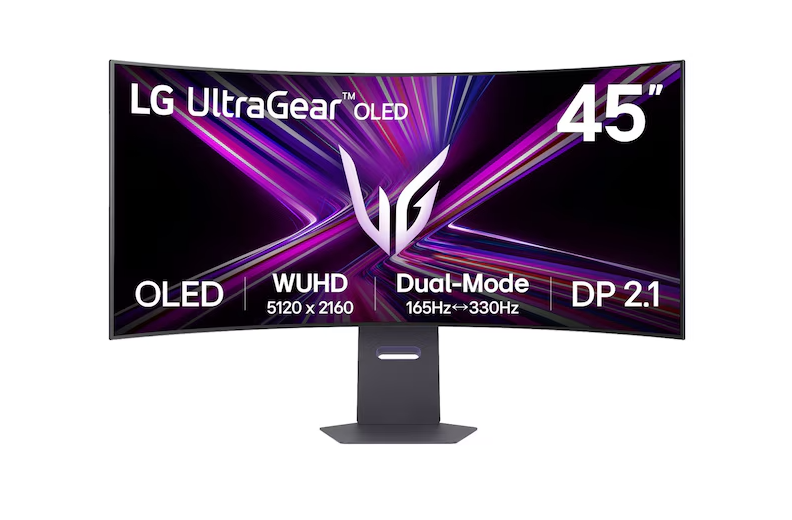
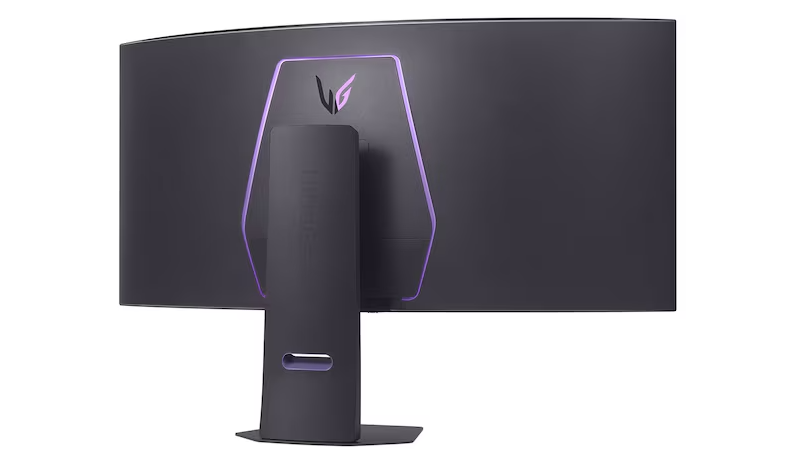
| Screen Size | 44.5-inch |
| Aspect Ratio | 21:9 |
| Resolution | 5120 × 2160 |
| Panel Type | OLED (WOLED) |
| Curve | 800R |
| Refresh Rate | 165Hz native |
| Dual Mode | Up to 330Hz at lower resolution |
| Response Time | 0.03ms GtG |
| Contrast Ratio | ~1.5M:1 (OLED) |
| HDR | DisplayHDR True Black class / HDR support |
| Pixel Density | ~125 PPI |
| Adaptive Sync | AMD FreeSync Premium Pro / G-Sync compatible support cited by reviews |
| Ports | HDMI 2.1, DisplayPort 2.1, USB-C (90W PD on cited sources), USB hub |
| Best Use Cases | AAA gaming, sim racing, productivity, editing, hybrid setups |
If you’re looking for a high-resolution gaming monitor that delivers maximum immersion, then you need to do yourself a favor and check out the LG UltraGear GX9 (45GX950A). It’s comfortably one of the most impressive high-resolution gaming monitors available right now, combining a massive 45-inch OLED panel with a sharp 5120×2160 (5K2K) resolution and expansive viewing area into a setup that works just as well for productivity as it does for gaming.
The model also had a huge commercial year. LG says the 45GX950A was the #1 selling gaming monitor and #1 selling OLED gaming monitor in 2025, according to Circana retail tracking data.
From a gaming perspective, the OLED screen is top-class at rendering on-screen action, with a fast refresh rate of up to 330Hz, superb HDR contrast, and motion clarity. With a 21:9 aspect ratio that really adds to the cinematic value of top-tier AAA games.
The idea of stepping up to a higher-resolution display doesn’t require compromise, as the 5K2K screen eliminates soft edges, making everything look crisp, detailed, and eye-catching while getting the most out of HDR settings.
In short, the 45GX950A combines exceptional image detail, OLED contrast, and competitive gaming performance in a single display, making it one of the most complete high-resolution monitors currently available.
The price is steep, I will grant you, but you get what you pay for. So whether you’re an ESports competitor or just want the highest fidelity possible when playing blockbuster hits, this is the way to go.
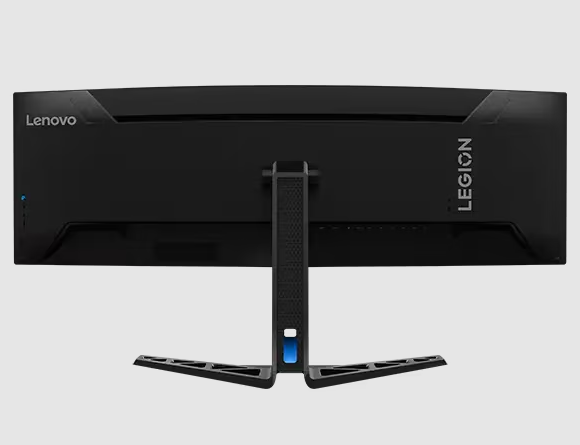
Best Value High-Resolution Ultrawide: Lenovo Legion R45w-30
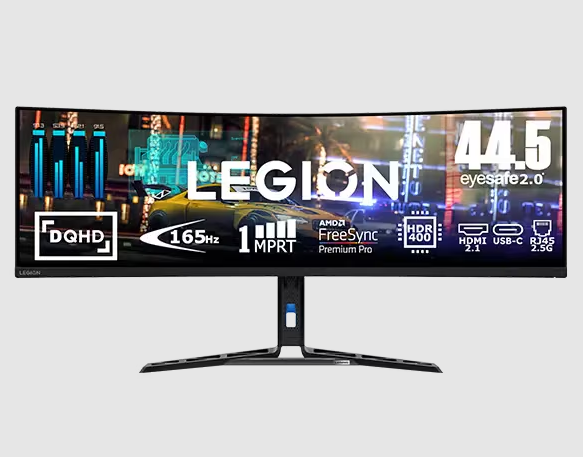
| Screen Size | 44.5″ |
| Resolution | 5120 × 1440 |
| Aspect Ratio | 32:9 |
| Panel Type | VA |
| Curve | 1500R |
| Refresh Rate | 165Hz / 170Hz OC |
| Response Time | 1ms GtG |
| Contrast Ratio | 3000:1 |
| HDR | DisplayHDR 400 |
| Adaptive Sync | FreeSync Premium Pro |
| Ports | HDMI, DP, USB-C, USB Hub, Ethernet |
| Best For | Racing, sim, multitasking, immersive gaming |
Not everyone wants to spend flagship-level money on a high-resolution gaming display. So, if the LG UltraGear is out of your price range, the Legion R45w-30 is worth considering.
While the Lenovo Legion R45w-30 doesn’t offer 4K or 5K-class pixel density, its 5120×1440 resolution still delivers a massive canvas for racing games, simulators, and multitasking, making it a strong value pick for gamers who prioritize screen real estate over maximum pixel density.
What you lose here is the OLED panel technology found on many premium high-resolution displays. But, for significantly less than many premium OLED gaming monitors, you get a gorgeous curved screen with the ability to play anything with dual-screen compatibility without needing to worry about that bezel break in the middle.
Plus, you also have a strong refresh rate of 170Hz, a 3000:1 contrast VA panel, and has helpful docks features like a USB-C port and a KVM Switch, making this a pretty handy monitor for anyone that wants to work and play.
However, let’s be clear. This monitor doesn’t have top-end HDR with high contrast and highlights. Not to mention, even when accepting that this monitor will only work in a large setup, it still requires an obscene amount of desk depth to look natural and feel comfortable.
That said, for the price point, there’s very little that can compete among high-resolution displays, allowing you an entry point, albeit with some compromises.
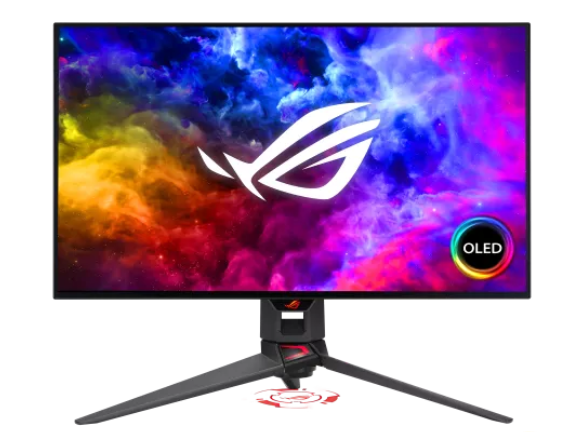
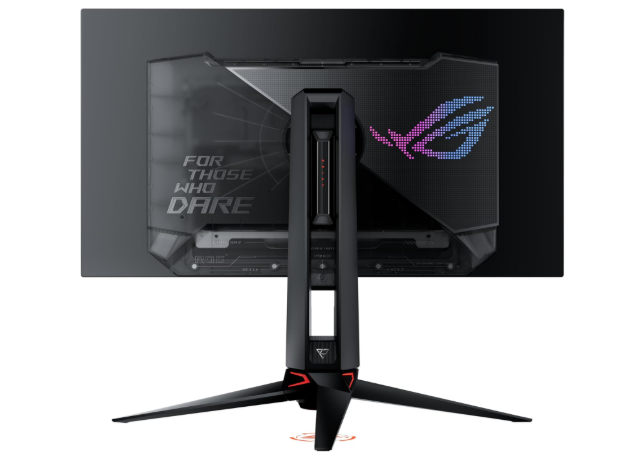
Best Work-and-Play 4K Monitor: ASUS ROG Swift
| Screen Size | 31.5″ |
| Resolution | 3840 × 2160 (4K) |
| Panel Type | OLED |
| Refresh Rate | 240Hz |
| Dual Mode | 1080p 480Hz |
| Response Time | 0.03ms GtG |
| HDR | DisplayHDR 400 True Black |
| Color Gamut | 99% DCI-P3 |
| USB-C PD | 90W |
| Sync Support | G-Sync Compatible / FreeSync Premium Pro |
| Best For | Hybrid users, esports + AAA gamers |
It can be hard to find a high-resolution monitor that truly offers a top-tier gaming experience while also offering a suitable workspace for productivity. Mainly because one almost always has to give way to the other. But, in the case of the ASUS ROG Swift, you really do get the best of both worlds.
With a 240Hz OLED display, and a 1080p/480Hz Esports mode, you truly can adapt your setup for the gaming experience you want. Whether that’s a twitchy, competitive affair, or a cinematic and awe-inspiring single-player endeavour.
Combine this with near instant response times, brilliant HDR capability, and impressive motion clarity, and you have the perfect recipe for a gaming session that will live long in the memory.
However, this monitor is also superb for productivity, as it provides superb text clarity and handling during daily use, mainly thanks to its Clear Pixel Edge technology. Plus, you also have a built-in USB-C dock, a KVM switch, and a matte finish to reduce daytime glare.
Not to mention, with this monitor being a 31.5” as standard, it means that you get all of this in a relatively compact package, making it better for smaller office spaces.
So if you’re a coder, content creator, or corporate worker by day, but a serious gamer by night, the ASUS ROG Swift is the one for you.
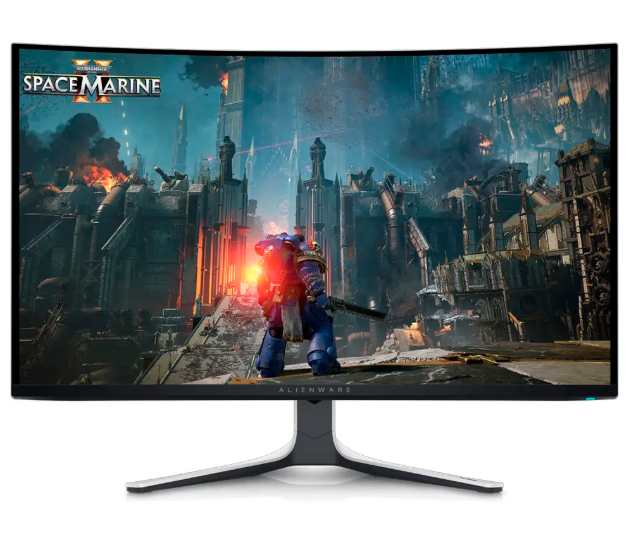
Best Premium 4K Gaming Monitor: Alienware AW3225QF
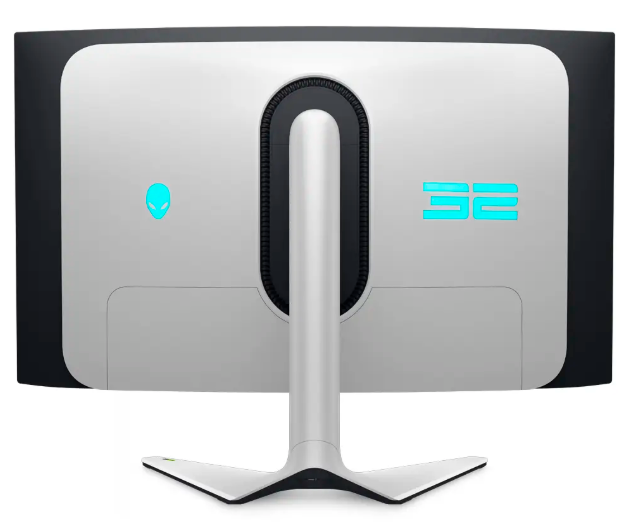
| Screen Size | 31.6″ |
| Resolution | 3840 × 2160 |
| Panel Type | QD-OLED |
| Refresh Rate | 240Hz |
| Response Time | 0.03ms class |
| Curvature | 1700R |
| HDR | Dolby Vision / HDR support |
| Sync Support | G-SYNC Compatible |
| Inputs | HDMI 2.1, DisplayPort |
| Best For | Premium 4K gaming |
If you want a compact 32” monitor, but you have no interest in compromising any gaming-related pros in favor of daytime use and productivity. Then, you need to turn your attention to the Alienware AW3225QF, a truly gaming-first 4K monitor.
This high resolution monitor offers top-tier refresh rates of 240Hz, and near-instant response times, leading to less latency, and more clear, fluid movement on screen. However, it’s the QD-OLED panel that stands out most, offering some of the most impressive contrast, rich tones, and HDR capability you can find on the market.
Essentially, this is a standard-size monitor that provides an all-in-one setup for gamers that want to competitively game and enjoy top-tier visuals without needing to sacrifice the best version of one to achieve another.
The biggest downside to this monitor is that it does really put your GPU to the test due to the high refresh rate, so you will need to accommodate that. But if you have a GPU that can take the strain, then this Alienware monitor is one you should consider.
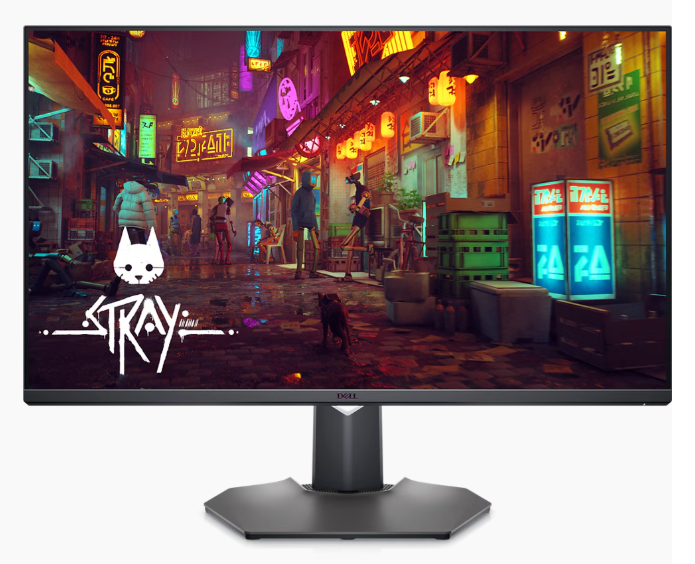
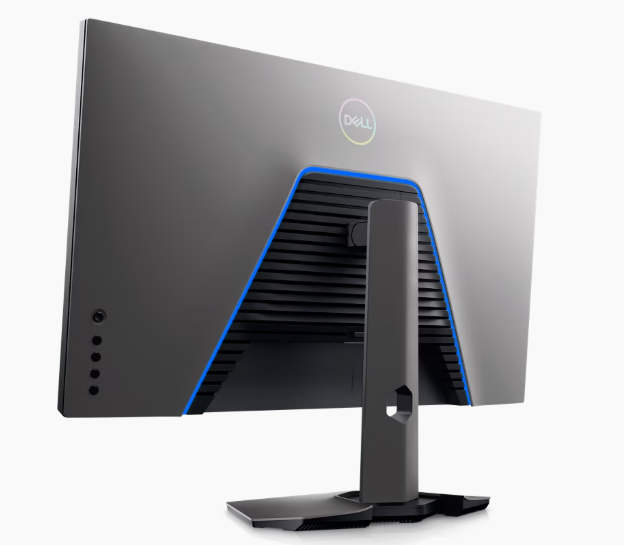
Best Budget 4K Gaming Monitor: Dell G3223Q 32 Inch 4K UHD Gaming Monitor
| Screen Size | 31.5″ |
| Resolution | 3840 × 2160 |
| Panel Type | Fast IPS |
| Refresh Rate | 144Hz |
| Response Time | 1ms GtG (rated) |
| Curvature | Flat |
| HDR | VESA DisplayHDR 600, HDR10 |
| Sync Support | AMD FreeSync Premium Pro, G-SYNC Compatible |
| Inputs | 2 × HDMI 2.1, 1 × DisplayPort 1.4, USB Hub |
| Pixel Density | 138 PPI |
| Brightness | 400 nits typical / 600 nits peak |
| Aspect Ratio | 16:9 |
| Best For | Budget 4K gaming, PS5/Xbox + PC hybrid setups |
As we mentioned before, high-resolution screens are more accessible than ever before, meaning that if you’re willing to give up the luxury of an OLED screen, you’ll find that there are quite a few very sharp 4K monitors in a budget price-range. One being the Dell G3223Q 32 Inch 4K UHD Gaming Monitor.
This monitor offers solid refresh rates of 144Hz and pixel density of 138PPI, which is a noticeable jump from most low-tier monitors operating at 60-75Hz.
Then, to add to the overall image quality, this monitor makes use of a IPS panel instead of a VA panel, which allows for daytime/productivity usage, great color accuracy, and superior motion clarity.
But alongside this, it’s a great monitor for console & PC users, as it also has a 2.1 HDMI input, and extremely low input lag considering the price of the unit.
Basically, this is the best budget-option that you can buy that puts gaming experience first and offers decent productivity performance, short of an OLED powered monitor. So, if you’re on a tight budget, but still want an upgrade worth forking out for, this could just be it.
Conclusion: The LG 5K2K UltraGear Is The Runaway Winner
While it may be the most demanding of your GPU, and the priciest of the bunch on this list. Among today’s high-resolution gaming monitors, the LG UltraGear stands out thanks to its 5120×2160 resolution, OLED panel technology, and excellent gaming performance. It’s a system that really epitomizes premium-quality, but at a price that is still attainable if you’re keen to have a top-of-the-range setup.
However, it’s clear that the second in line is the ASUS ROG Swift, as it not only serves as the best productivity monitor on this list. It also nearly sits on par with the Alienware AW3225QF in terms of gaming performance, offering the best of both worlds.

- Best High-Resolution Gaming Monitors In 2026 - June 17, 2026
- Best Indie Open World Games To Play In 2024 - February 28, 2024
- Most Wholesome Indie Games - February 22, 2024